Clear Server from Amnezia Software
If VPN protocols and Amnezia services were installed on the server using AmneziaVPN, here's how to remove them:
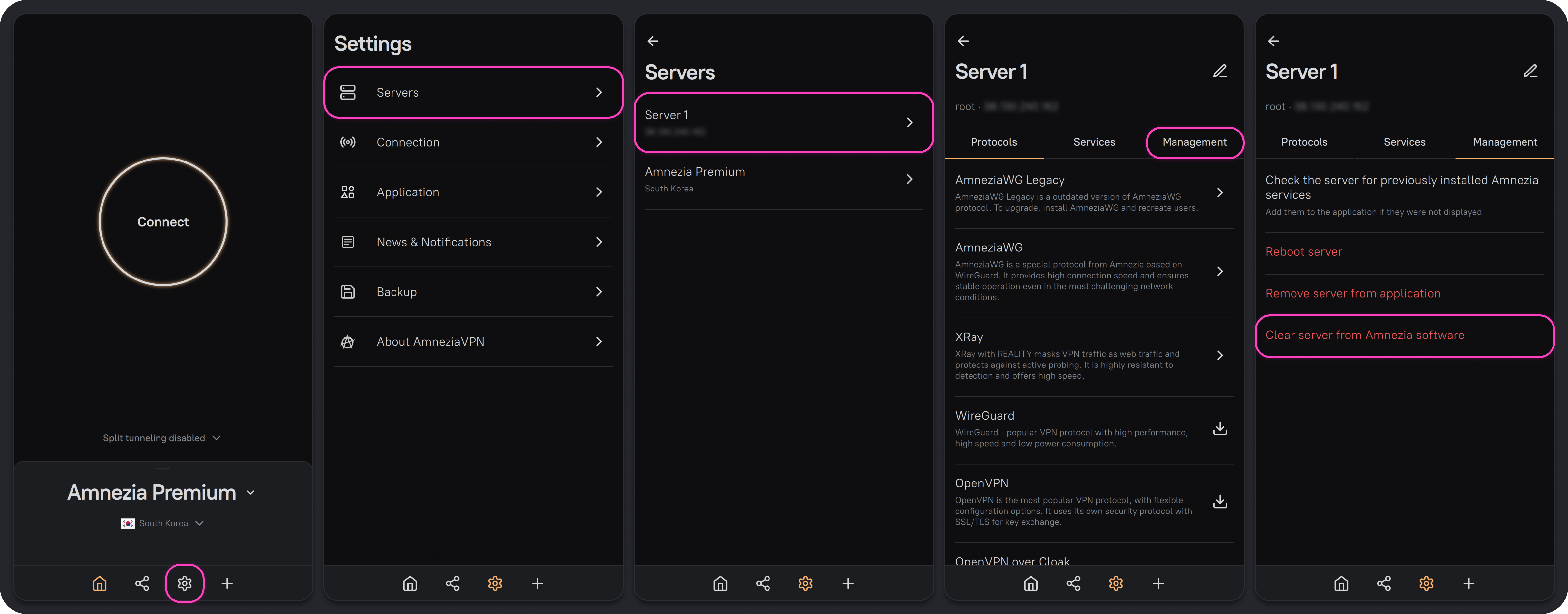
- Open the AmneziaVPN app with a full access connection to the server.
- Tap ⚙️ (gear icon) on the bottom bar and go to Servers.
- Select the server you want to clear, then open the Management tab.
- Tap Clear server from Amnezia software, then tap Continue.
This will remove all changes made on the server by AmneziaVPN.